
PixelForge - 3D Icon Studio
Plugin by soumabanana ✓ · 73% positive · 30 votes
$4.99
Get on Creator Store →
This is an official Roblox Creator Store asset. The button opens its page on create.roblox.com, where you get it into your inventory or Studio. Roblox Modules does not sell, host or redistribute Roblox assets.
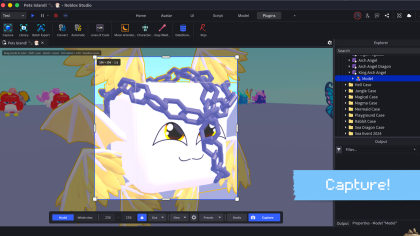
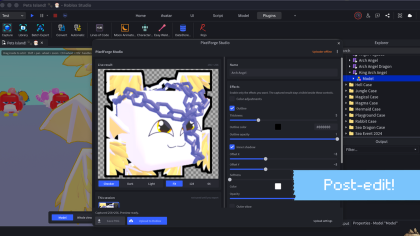

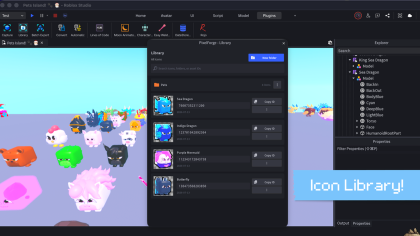


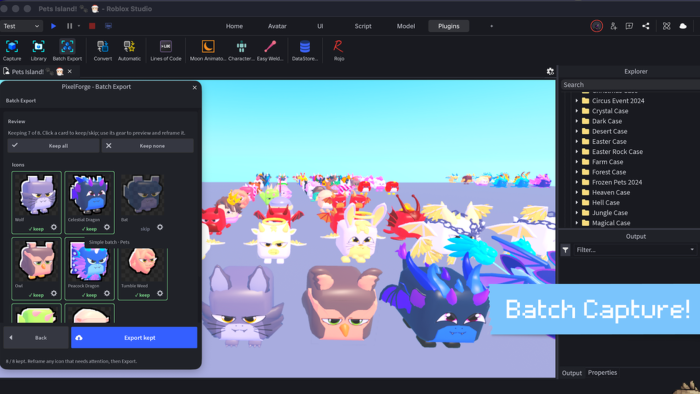
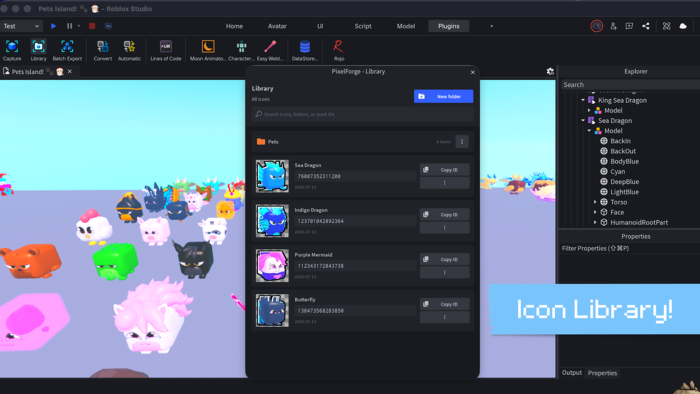
Turn any model into a clean, pro-looking icon. Right inside Studio. No screenshots. No external editors. Just frame it, capture it, and make it shine ✨ Why developers love PixelForge: ⚡ Capture models, parts, whole scenes, and builds 🎯 Frame everything directly in the viewport 🎨 Add color, outlines, glow, shadows, and more 🖼️ Shoot multiple angles, then keep the best one 📦 Batch Export a whole selection with matching styles 🔄 Create variants with Capture Workflows 📤 Save PNGs or upload straight to Roblox 🗂️ Keep every uploaded icon organized in your Library For shop icons, inventory art, UI assets, thumbnails, and more. BEFORE YOU BUY - SAVING & UPLOADING 📁 Saving transparent PNGs to your PC needs NO API key. ☁️ Roblox upload also needs a free Open Cloud key. It stays on your machine, sent only to Roblox. ✅ Uploader is open source, MIT, zero deps, localhost-only, no telemetry. Requires Roblox Studio (Windows/macOS) + Node.js 18+.
| Type | Plugins |
|---|---|
| Creator | soumabanana ✓ |
| Price | $4.99 |
| Rating | 73% positive · 30 votes |
| Contains scripts | Yes |
| Category | Plugins › Building |
| Object types | Icon, 3D Model |
| Published | 2026-05-22 |
| Updated | 2026-07-28 |
| Roblox ID | 103129928198990 |
| Last checked | 2026-09-13 |












![Moon Animator 2 [sale!]](https://tr.rbxcdn.com/180DAY-bb0f21c27b952011c4b81408cde773f1/420/420/Image/Png/noFilter)









