
Cinematic Camera
Plugin by Handsum ✓ · 0 upvotes
$4.99
Get on Creator Store →
This is an official Roblox Creator Store asset. The button opens its page on create.roblox.com, where you get it into your inventory or Studio. Roblox Modules does not sell, host or redistribute Roblox assets.
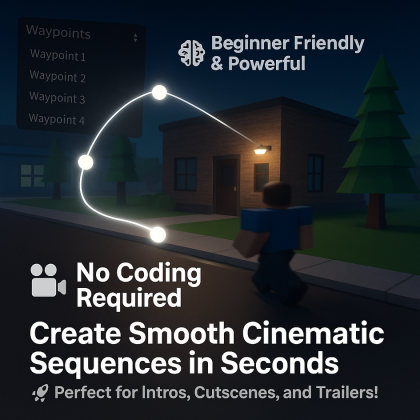

Create smooth, cinematic camera sequences with ease! This plugin lets you build custom camera movements by placing and editing waypoints directly in the 3D world. Perfect for trailers, cutscenes, intros, and immersive storytelling in your Roblox games. Features: Waypoint-Based Camera Paths – Place, move, and reorder camera waypoints to design your path. Custom Speeds & Easing Styles – Set unique tweening speeds and easing options for each segment. Preview Mode – Instantly preview the camera path in Studio. Export Options – Export camera sequences to: A GUI button to start playback on click. A Part in the workspace that triggers playback on touch. Starter Customization – Change the starter object by editing the generated script’s Starter ObjectValue to any custom Part or GUI element. Whether you're making cinematic intros or interactive story moments, this plugin helps bring your vision to life with style and precision.
| Type | Plugins |
|---|---|
| Creator | Handsum ✓ |
| Price | $4.99 |
| Rating | 0 upvotes |
| Contains scripts | Yes |
| Category | Plugins › Workflow |
| Published | 2025-04-14 |
| Updated | 2025-04-14 |
| Roblox ID | 110290262170301 |
| Last checked | 2026-09-24 |












![Moon Animator 2 [sale!]](https://tr.rbxcdn.com/180DAY-bb0f21c27b952011c4b81408cde773f1/420/420/Image/Png/noFilter)







