Thai Text 3D
Plugin by Itttikorn ✓ · 33% positive · 300 votes
Free
Get on Creator Store →
This is an official Roblox Creator Store asset. The button opens its page on create.roblox.com, where you get it into your inventory or Studio. Roblox Modules does not sell, host or redistribute Roblox assets.
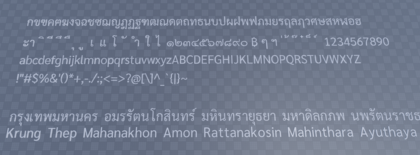
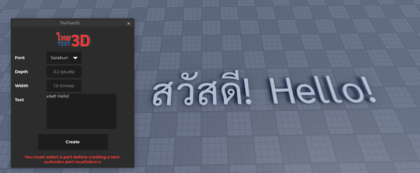
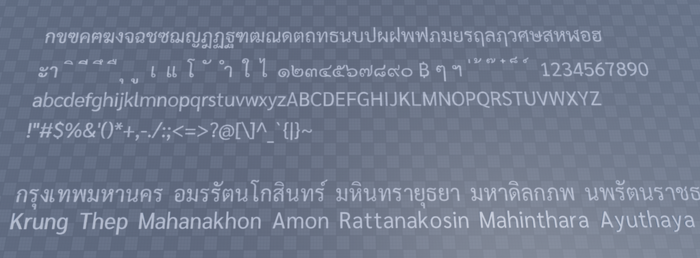
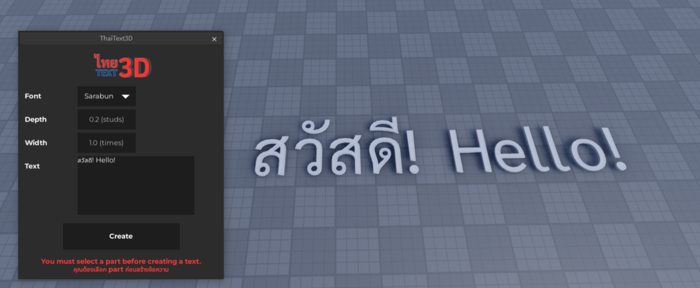
Thai Text 3D - A plugin to create 3D Thai Text! Features - Most Thai characters and ASCII (English) characters are included. - Ability to adjust the width and depth of 3D text Currently supporting 1 font, more fonts will come in the future! How to use? 1. Create and select a part to get the starting position 2. Open Thai Text 3D plugin menu 3. Set the depth (in studs) and the width (in times the original scale) 4. Enter your text in the textbox 5. Click “Create” 6. You will get a model containing MeshParts of each character in your workspace! Read More about the plugin: https://devforum.roblox.com/t/thai-text-3d-a-plugin-to-create-3d-text-for-thai-and-english-characters/3261331 Thai Traffic Sign Inserter: https://create.roblox.com/store/asset/15574238514/Thai-Traffic-Sign-Inserter?pagePosition=0&tab=description
| Type | Plugins |
|---|---|
| Creator | Itttikorn ✓ |
| Price | Free |
| Rating | 33% positive · 300 votes |
| Contains scripts | Yes |
| Category | Plugins › Building |
| Published | 2024-11-16 |
| Updated | 2026-04-23 |
| Roblox ID | 113680983276153 |
| Last checked | 2026-09-08 |












![Moon Animator 2 [sale!]](https://tr.rbxcdn.com/180DAY-bb0f21c27b952011c4b81408cde773f1/420/420/Image/Png/noFilter)









