UI Offset Converter
Plugin by ImpulsivityKills ✓ · 0 upvotes
Free
Get on Creator Store →
This is an official Roblox Creator Store asset. The button opens its page on create.roblox.com, where you get it into your inventory or Studio. Roblox Modules does not sell, host or redistribute Roblox assets.
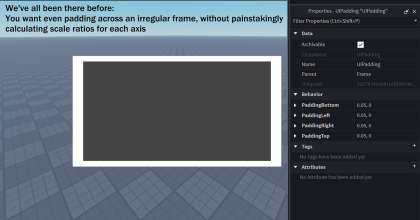
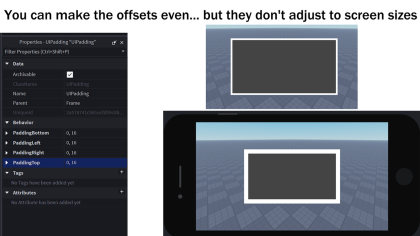
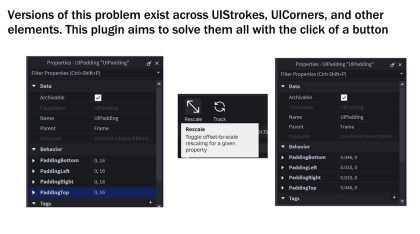
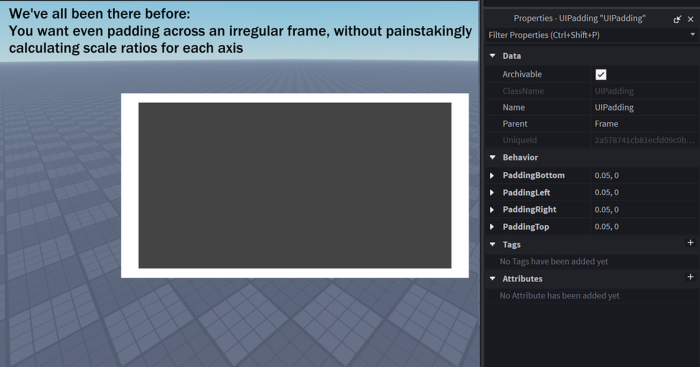


If you've been struggling with manually calculating UIPadding, UIStroke.Thickness, UICorner.CornerRadius or ImageLabel.TileSize scales, then this plugin is for you! Unlike other auto-scaling plugins, we aim to support all relative UI element properties! Once you click the "Rescale" button in the toolbar, this plugin will automatically calculate the offset's scale ratio relative to the parent - giving your players an uniform experience across all screen sizes. Use the "Track" button to automatically adjust to changes in your UI without having to constantly redo the scaling (though don't forget to turn this off when emulating). Integrates with ChangeHistoryService. Found any annoying bugs? Let me know! Known issues: - It does not work well inside of parent elements that use padding or other components that inhibit usable space. As a workaround, add a wrapper frame.
| Type | Plugins |
|---|---|
| Creator | ImpulsivityKills ✓ |
| Price | Free |
| Rating | 0 upvotes |
| Contains scripts | Yes |
| Category | Plugins › User Interface |
| Published | 2026-03-10 |
| Updated | 2026-03-25 |
| Roblox ID | 114151863930238 |
| Last checked | 2026-09-13 |


![UltraWorks Shop Creator [Pro tools]](https://tr.rbxcdn.com/180DAY-c8f431d61dbacc6f02bc8a0db5b29965/420/420/Image/Png/noFilter)





![Moon Animator 2 [sale!]](https://tr.rbxcdn.com/180DAY-bb0f21c27b952011c4b81408cde773f1/420/420/Image/Png/noFilter)







