
UI X-Ray Inspector
Plugin by Alexander366352wewq ✓ · 0 upvotes
Free
Get on Creator Store →
This is an official Roblox Creator Store asset. The button opens its page on create.roblox.com, where you get it into your inventory or Studio. Roblox Modules does not sell, host or redistribute Roblox assets.
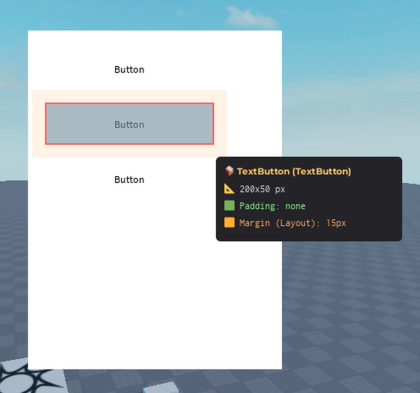

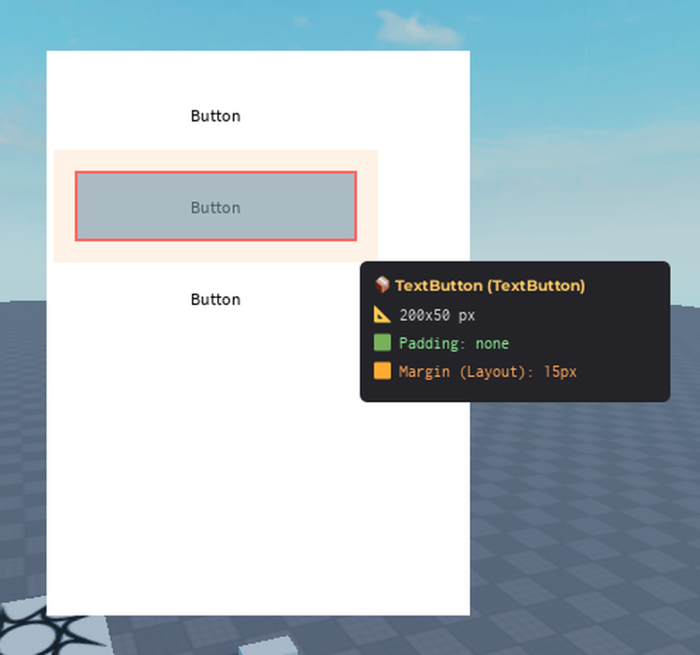

"See" invisible layout structures instantly. Key Features: - Green: Visualize UIPadding inside frames. - Orange: Visualize spacing/margins (UIListLayout/UIGridLayout). - Blue: See exact content bounds. - Hover Info: Live pixel measurements & info. How to use: 1. Open: Click "Inspect UI" in toolbar. 2. Hover: Mouse over any GUI. 3. Inspect: See visualized structure. 4. Read: Check the info panel. Perfect for: - UI/UX Designers building complex interfaces. - Debugging responsive layouts. - Teams needing pixel-perfect designs. - Learning UI layout systems. Suggestions or bugs? Let me know! Your feedback helps make this tool better.
| Type | Plugins |
|---|---|
| Creator | Alexander366352wewq ✓ |
| Price | Free |
| Rating | 0 upvotes |
| Contains scripts | Yes |
| Category | Plugins › User Interface |
| Published | 2025-12-20 |
| Updated | 2026-02-13 |
| Roblox ID | 119921032131765 |
| Last checked | 2026-09-21 |
All assets by Alexander366352wewq · Alexander366352wewq on Roblox


![UltraWorks Shop Creator [Pro tools]](https://tr.rbxcdn.com/180DAY-c8f431d61dbacc6f02bc8a0db5b29965/420/420/Image/Png/noFilter)





![Moon Animator 2 [sale!]](https://tr.rbxcdn.com/180DAY-bb0f21c27b952011c4b81408cde773f1/420/420/Image/Png/noFilter)







