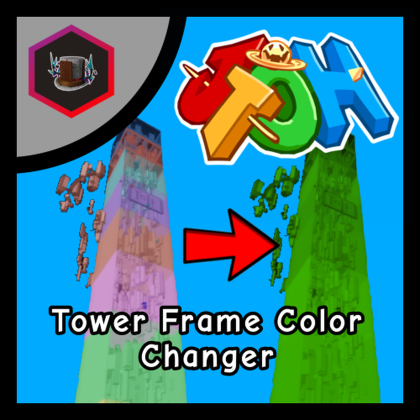
Tower Frame Color Changer
Plugin by GamingWithDoggy44 ✓ · 58% positive · 10 votes
Free
Get on Creator Store →
This is an official Roblox Creator Store asset. The button opens its page on create.roblox.com, where you get it into your inventory or Studio. Roblox Modules does not sell, host or redistribute Roblox assets.
A plugin for JToH tower development! Recolor your tower's frame with ease with this plugin! HOW TO USE: (Make sure your frame is in the folder that the tower is in! Also make sure the frame parts' names aren't changed.) 1. Input your colors in a list in Hex Color Format (or just copy and paste a gradient list from the colordesigner.io website on the gradient generator) 2. Press the button to change the color.
| Type | Plugins |
|---|---|
| Creator | GamingWithDoggy44 ✓ |
| Price | Free |
| Rating | 58% positive · 10 votes |
| Contains scripts | Yes |
| Category | Plugins › Building |
| Published | 2023-04-11 |
| Updated | 2023-04-11 |
| Roblox ID | 13075626379 |
| Last checked | 2026-09-24 |
All assets by GamingWithDoggy44 · GamingWithDoggy44 on Roblox












![Moon Animator 2 [sale!]](https://tr.rbxcdn.com/180DAY-bb0f21c27b952011c4b81408cde773f1/420/420/Image/Png/noFilter)









