
LightForge — Lighting Control Panel
Plugin by Eerous ✓ · 92% positive · 10 votes
Free
Get on Creator Store →
This is an official Roblox Creator Store asset. The button opens its page on create.roblox.com, where you get it into your inventory or Studio. Roblox Modules does not sell, host or redistribute Roblox assets.

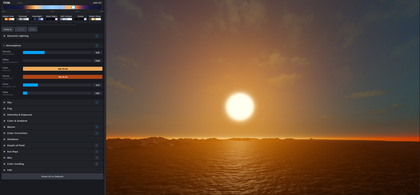
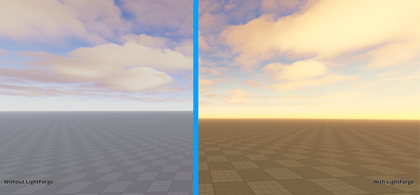
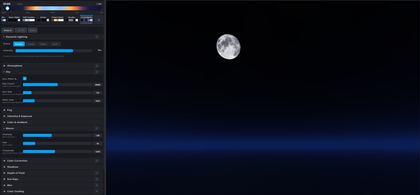


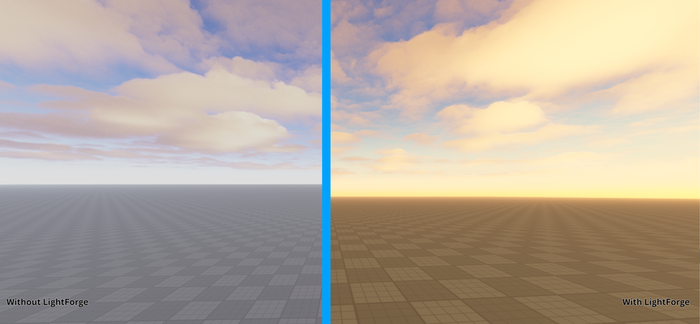

Every lighting property on one screen. No more clicking through Explorer. LightForge puts Atmosphere, Bloom, Color Correction, Depth of Field, Sun Rays & all Lighting properties into a single dockable panel with real-time sliders. FEATURES: - Time-of-day scrubber with day/night gradient - 40+ properties with live viewport updates - A/B comparison — snapshot lighting, toggle instantly (Tab) - 8 built-in presets: Golden Hour, Moonlight, Horror & more - Save your own presets with visual color signatures - Inline HSV color picker, no popups - Scroll wheel fine-tuning on any slider - Right-click any slider to reset to default - Full undo/redo (Ctrl+Z) - Two-way sync with Properties panel - One-click Reset All to Defaults HOW TO USE: 1. Click LightForge in the Plugins tab 2. Drag the time scrubber 3. Pick a preset as a starting point 4. Tweak sliders to dial in your look 5. Use A/B to compare before and after Free forever. Part of the BuildX Suite.
| Type | Plugins |
|---|---|
| Creator | Eerous ✓ |
| Price | Free |
| Rating | 92% positive · 10 votes |
| Contains scripts | Yes |
| Category | Plugins › Visuals |
| Published | 2026-04-07 |
| Updated | 2026-04-21 |
| Roblox ID | 134789936186393 |
| Last checked | 2026-09-24 |







![Moon Animator 2 [sale!]](https://tr.rbxcdn.com/180DAY-bb0f21c27b952011c4b81408cde773f1/420/420/Image/Png/noFilter)







