QUA: Quick UI Adjust
Plugin by fortuna0800 ✓ · 0 upvotes
Free
Get on Creator Store →
This is an official Roblox Creator Store asset. The button opens its page on create.roblox.com, where you get it into your inventory or Studio. Roblox Modules does not sell, host or redistribute Roblox assets.
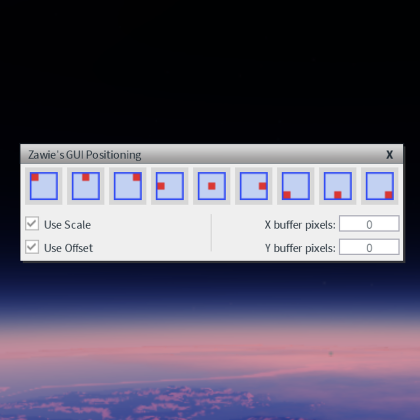
Very simple and non intrusive plugin. Adds shortcuts to quickly change GuiObject AnchorPoint and Position properties. Recommended shortcuts included. Keyboard numpad highly recommended! How to set the shortcuts: File > Advanced Options > Customize Shortcuts > Search for "QUA" > Set the shortcuts keybinds, preferably to the keybinds recommended.
| Type | Plugins |
|---|---|
| Creator | fortuna0800 ✓ |
| Price | Free |
| Rating | 0 upvotes |
| Contains scripts | Yes |
| Category | Plugins › User Interface |
| Published | 2023-05-22 |
| Updated | 2023-05-22 |
| Roblox ID | 13523037514 |
| Last checked | 2026-09-09 |


![UltraWorks Shop Creator [Pro tools]](https://tr.rbxcdn.com/180DAY-c8f431d61dbacc6f02bc8a0db5b29965/420/420/Image/Png/noFilter)





![Moon Animator 2 [sale!]](https://tr.rbxcdn.com/180DAY-bb0f21c27b952011c4b81408cde773f1/420/420/Image/Png/noFilter)







