Attribute ClonerV1
Plugin by d3leet3d ✓ · 0 upvotes
Free
Get on Creator Store →
This is an official Roblox Creator Store asset. The button opens its page on create.roblox.com, where you get it into your inventory or Studio. Roblox Modules does not sell, host or redistribute Roblox assets.
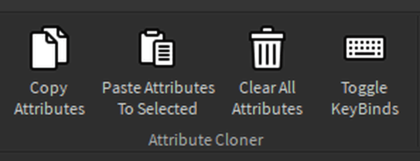

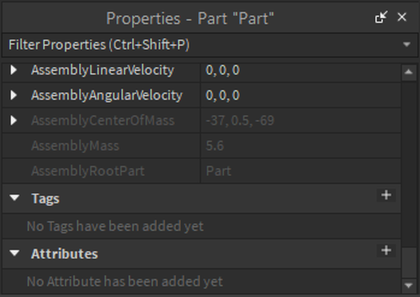


Easily copy, paste, and remove custom attributes between instances with simple keybinds or with the click of a button. ↓Keybinds↓ Ctrl + Shift + C → Copy all attributes from the selected object. Ctrl + Shift + V → Paste copied attributes to all selected objects. Ctrl + Shift + R → Remove all attributes from selected objects. ↓How to Use↓ Step1: Select and object that has one or more attributes you wish to copy. Click Copy Attributes or use the Keybind Step2: Select one or more instances you wish to paste attributes to, Click Paste Attributes To Selected or use the Keybind. Boom Done!
| Type | Plugins |
|---|---|
| Creator | d3leet3d ✓ |
| Price | Free |
| Rating | 0 upvotes |
| Contains scripts | Yes |
| Category | Plugins › Workflow |
| Published | 2025-02-28 |
| Updated | 2025-02-28 |
| Roblox ID | 138082260600066 |
| Last checked | 2026-09-13 |












![Moon Animator 2 [sale!]](https://tr.rbxcdn.com/180DAY-bb0f21c27b952011c4b81408cde773f1/420/420/Image/Png/noFilter)







