Databrain's Volumetric Lighting Plugin V1.1
Plugin by RositaTheGameDev ✓ · 81% positive · 100 votes
Free
Get on Creator Store →
This is an official Roblox Creator Store asset. The button opens its page on create.roblox.com, where you get it into your inventory or Studio. Roblox Modules does not sell, host or redistribute Roblox assets.
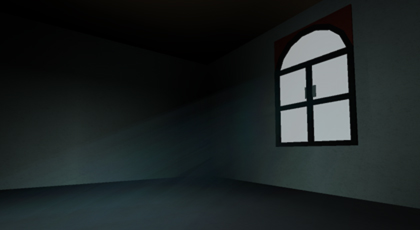
For all your volumetric lighting needs! Select a source brick, then click "Emit From Selection". Then select another brick at the end of where you want the lighting, then click "Emit To Selection". You now can click "Emit Rays", and light rays should appear between the two bricks.
| Type | Plugins |
|---|---|
| Creator | RositaTheGameDev ✓ |
| Price | Free |
| Rating | 81% positive · 100 votes |
| Contains scripts | Yes |
| Category | Plugins › Visuals |
| Published | 2014-02-09 |
| Updated | 2014-03-11 |
| Roblox ID | 145518978 |
| Last checked | 2026-09-17 |








![Moon Animator 2 [sale!]](https://tr.rbxcdn.com/180DAY-bb0f21c27b952011c4b81408cde773f1/420/420/Image/Png/noFilter)







