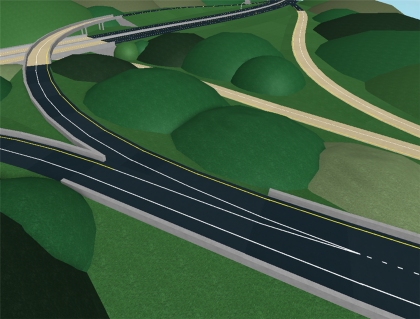
ROAD CREATION PLUG-IN -BUG FIX-
Plugin by TwentyTwoPilots ✓ · 59% positive · 1,000 votes
Free
Get on Creator Store →
This is an official Roblox Creator Store asset. The button opens its page on create.roblox.com, where you get it into your inventory or Studio. Roblox Modules does not sell, host or redistribute Roblox assets.
why are people still buying this lol I'm going to make an entirely new, easier to use road plugin eventually. INSTRUCTIONS: Click the button with the '+' and the marker. This gives you two endpoints to work with. THE YELLOW KNOBS ON THE ENDPOINTS ARE THE DIRECTIONS THAT EVERYTHING WILL SPAWN IN. THEY MUST BE FLAT ON THE GROUND AND FACING EACH OTHER, OR AT A 90 DEGREE ANGLE. YOU MUST HAVE BOTH ENDPOINTS SELECTED WHEN SPAWNING SOMETHING. Select the two endpoints then click the road button, and a road will spawn starting from point A and ending at point B. Opening settings lets you edit widths, road accessories, and colors. Take note, really wide roads are a little flakier when they spawn.
| Type | Plugins |
|---|---|
| Creator | TwentyTwoPilots ✓ |
| Price | Free |
| Rating | 59% positive · 1,000 votes |
| Contains scripts | Yes |
| Category | Plugins › Building |
| Published | 2014-06-14 |
| Updated | 2015-12-09 |
| Roblox ID | 161301454 |
| Last checked | 2026-09-24 |













![Moon Animator 2 [sale!]](https://tr.rbxcdn.com/180DAY-bb0f21c27b952011c4b81408cde773f1/420/420/Image/Png/noFilter)









