
QUIck - Rapid UI Design Actions
Plugin by ChiefWildin ✓ · 0 upvotes
$4.99
Get on Creator Store →
This is an official Roblox Creator Store asset. The button opens its page on create.roblox.com, where you get it into your inventory or Studio. Roblox Modules does not sell, host or redistribute Roblox assets.

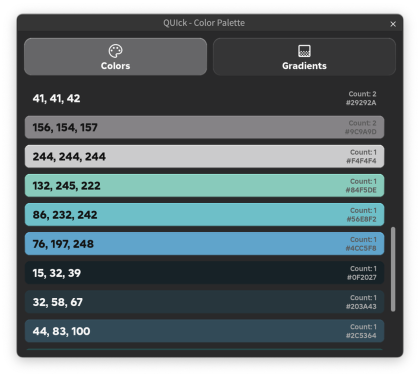
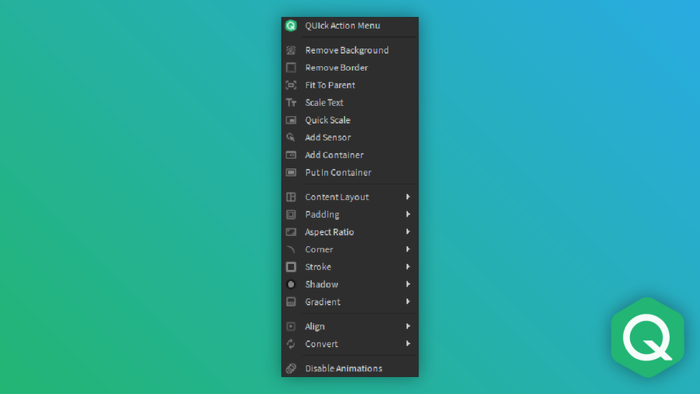

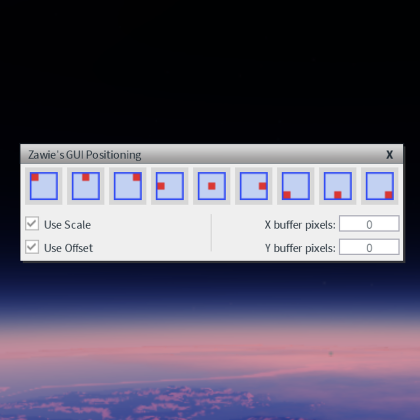
Please leave a like and review if you find this plugin useful! Update 7/12: - Added Copy and Render action that takes any selected objects and copies them to a new ScreenGui in StarterGui for quick isolated editing - Added a new toggle action for the color palette QUIck is a context menu that allows you to perform commonly used UI design actions on selected objects faster. It also has shortcut support, so you can add this menu to your keybinds for even faster access. Available actions are: - Remove Background - Remove Border - Fit to Parent - Quick Scale (aspect ratio method) - Add Sensor - Add Container - Convert Corner to Scale/Offset - Change to list layout - Change to grid layout - Add smart text padding - Common aspect ratios - Add stroke (various sizes) - Add shadow - Gradient presets - Align (9 positions) - Move anchor (9 positions) - Convert size/position to scale/offset - View and edit project color palette + more!
| Type | Plugins |
|---|---|
| Creator | ChiefWildin ✓ |
| Price | $4.99 |
| Rating | 0 upvotes |
| Contains scripts | Yes |
| Category | Plugins › User Interface |
| Published | 2024-04-02 |
| Updated | 2026-07-12 |
| Roblox ID | 16987545596 |
| Last checked | 2026-09-21 |


![UltraWorks Shop Creator [Pro tools]](https://tr.rbxcdn.com/180DAY-c8f431d61dbacc6f02bc8a0db5b29965/420/420/Image/Png/noFilter)





![Moon Animator 2 [sale!]](https://tr.rbxcdn.com/180DAY-bb0f21c27b952011c4b81408cde773f1/420/420/Image/Png/noFilter)







