DKN's Auto UI Adjustment
Plugin by DIREFUL_7N1F3 ✓ · 0 upvotes
Free
Get on Creator Store →
This is an official Roblox Creator Store asset. The button opens its page on create.roblox.com, where you get it into your inventory or Studio. Roblox Modules does not sell, host or redistribute Roblox assets.
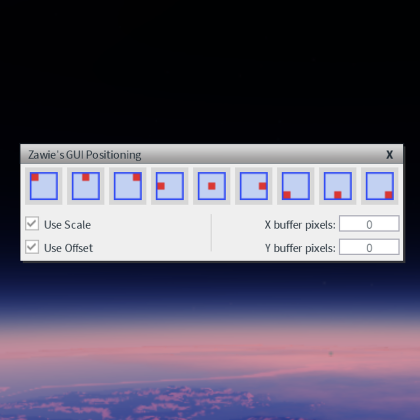
Adjust your UI on the go so you can spend less time customizing and do more organizing. With some unique features you can have enabled. You can speed up your workflow with GUI's! - Auto Anchorpoint to (0.5, 0.5) -Eye Saver (Turns all new GUI Objects to grey to save your eyes at night-time -Auto Scale (Even works correctly inside UI list layouts! (Unlike other plugins) -DK's Properties (You can have your spawned UI be adjusted to work how I like it!) -DK's Text Buttons (I prefer TextLabel's inside of a textbutton so I have better adjustment of the texts, that option is there for you to judge!) -Keybinded UIGridLayout Cellsize adjustment, Press V to flip flop between Scale and Offset to set your grid to how you want it! (It helps a lot for me to be honest)
| Type | Plugins |
|---|---|
| Creator | DIREFUL_7N1F3 ✓ |
| Price | Free |
| Rating | 0 upvotes |
| Contains scripts | Yes |
| Category | Plugins › User Interface |
| Published | 2026-04-12 |
| Updated | 2026-04-12 |
| Roblox ID | 71517895671115 |
| Last checked | 2026-09-13 |


![UltraWorks Shop Creator [Pro tools]](https://tr.rbxcdn.com/180DAY-c8f431d61dbacc6f02bc8a0db5b29965/420/420/Image/Png/noFilter)





![Moon Animator 2 [sale!]](https://tr.rbxcdn.com/180DAY-bb0f21c27b952011c4b81408cde773f1/420/420/Image/Png/noFilter)







