
CutsceneMaker
Plugin by TakenokoSlayer ✓ · 0 upvotes
$4.99
Get on Creator Store →
This is an official Roblox Creator Store asset. The button opens its page on create.roblox.com, where you get it into your inventory or Studio. Roblox Modules does not sell, host or redistribute Roblox assets.
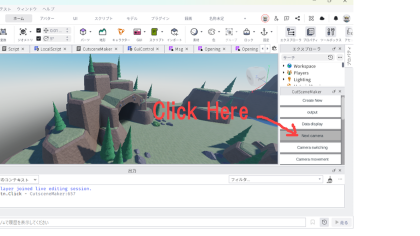
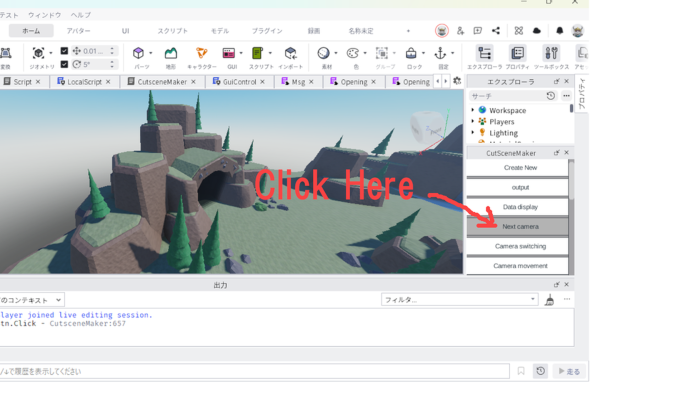
This plugin allows you to easily create cutscenes and output them as LocalScripts. When you launch it from the Plugins tab, a window will open. You can create cutscenes simply by moving the camera in the studio and pressing a button. Supported functions: • Camera switching • Camera movement • Fade in • Fade out • GUI display • Wait • Data restoration You can resume cutscene creation from where you left off using the "revival spell" included in the output script. Supports English and Japanese. Includes English and Japanese help. カットシーンを簡単に作成し、LocalScriptとして出力するプラグインです。 プラグインタブから起動するとウインドウが開きます。 スタジオ上でカメラを動かしてボタンを押すだけでカットシーンが作れます。 対応機能: ・カメラの切り替え ・カメラの移動 ・フェードイン ・フェードアウト ・GUIの表示 ・待ち ・データ復元 出力済みのスクリプトに記載される「ふっかつのじゅもん」を使って、続きからカットシーン作成を再開できます 英語・日本語に対応。 英語・日本語のヘルプ付き。
| Type | Plugins |
|---|---|
| Creator | TakenokoSlayer ✓ |
| Price | $4.99 |
| Rating | 0 upvotes |
| Contains scripts | Yes |
| Category | Plugins › Scripting |
| Object types | Camera, Device |
| Published | 2026-06-16 |
| Updated | 2026-06-19 |
| Roblox ID | 74847924964627 |
| Last checked | 2026-09-24 |








![Moon Animator 2 [sale!]](https://tr.rbxcdn.com/180DAY-bb0f21c27b952011c4b81408cde773f1/420/420/Image/Png/noFilter)







