
Centerize (for UI)
Plugin by AnvilGR ✓ · 0 upvotes
Free
Get on Creator Store →
This is an official Roblox Creator Store asset. The button opens its page on create.roblox.com, where you get it into your inventory or Studio. Roblox Modules does not sell, host or redistribute Roblox assets.
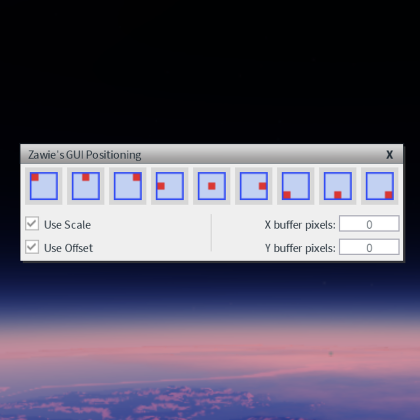
Have you ever spent a few seconds MANUALLY changing the AnchorPoint and/or the Position of a GUI element so it can be in the center... like a PEASANT? That's why this plugin exists - to make it as simple as the press of a button. Or two. Or three. Spend those seconds on something BETTER. Like fixing your horrible UI code! Yay! Unlike what the thumbnail would make you assume, this plugin is not affiliated with the Czech. == How 2 Use == !! YOU NEED TO USE YOUR OWN KEYBINDS !! In Studio (what else) go on File > Customize Shortcuts... and search for "Centerize", then it's as simple as something simple. Personally I use Shift+C for Centerizing, and Shift+Alt+C for Centerizing AnchorPoint. I don't Centerize Position Only. Ever. More time was spent writing this than making the plugin.
| Type | Plugins |
|---|---|
| Creator | AnvilGR ✓ |
| Price | Free |
| Rating | 0 upvotes |
| Contains scripts | Yes |
| Category | Plugins › User Interface |
| Published | 2024-09-08 |
| Updated | 2026-01-22 |
| Roblox ID | 76243845873720 |
| Last checked | 2026-09-17 |


![UltraWorks Shop Creator [Pro tools]](https://tr.rbxcdn.com/180DAY-c8f431d61dbacc6f02bc8a0db5b29965/420/420/Image/Png/noFilter)






![Moon Animator 2 [sale!]](https://tr.rbxcdn.com/180DAY-bb0f21c27b952011c4b81408cde773f1/420/420/Image/Png/noFilter)







