Rig Animation Loader
Plugin by Arcane Entertainment. ✓ · 40% positive · 30 votes
Free
Get on Creator Store →
This is an official Roblox Creator Store asset. The button opens its page on create.roblox.com, where you get it into your inventory or Studio. Roblox Modules does not sell, host or redistribute Roblox assets.

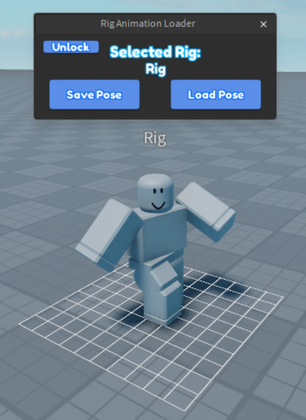

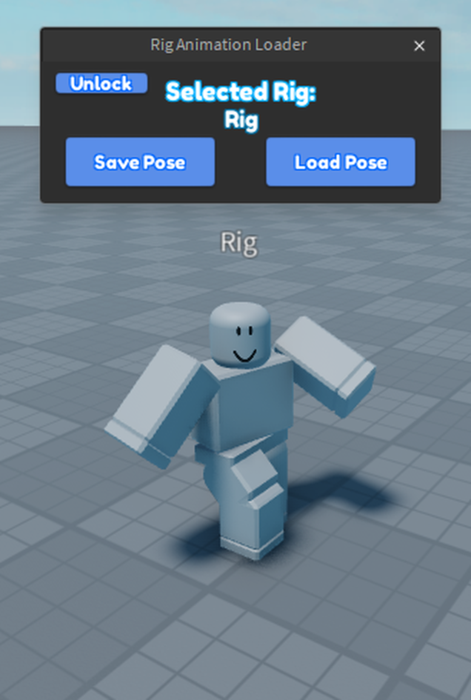

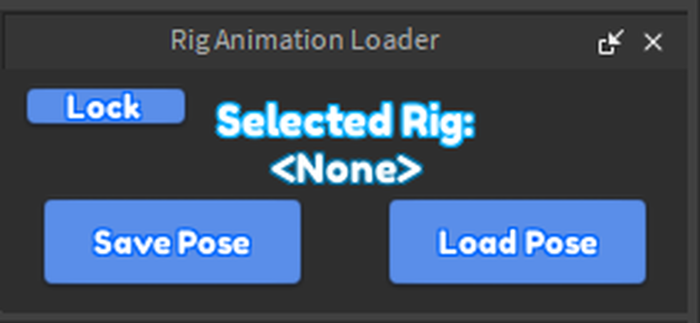

Used keep a rig pose after closing the animation editor Instructions: 1. Select the rig model, it should show the name in the plugin menu. 2. Lock the selection by pressing the lock button. 3. Open the animation editor and make the pose you want. 4. Once the pose is created, click the Save Pose button. 5. You dont need the Animation Editor open once the Pose is saved, but it doesnt matter. 6. Click the Load Pose button, this should Load the pose and anchor the rig. Disclaimers: 1. The rig will be anchored, meaning it wont be pushed or affected by any physics, this can be fixed by welding all the parts together and unanchoring the parts in the rig. 2. This has only been tested with the default roblox rig, custom rigs may not work, (although it could work with custom rigs if the rig meets certain conditions.) Some code credit to @Judgy_Oreo in this post: https://devforum.roblox.com/t/how-do-i-keep-a-pose-after-closing-the-animation-editor/1671268/4?u=mentalnoah Plugin by @mentalnoah
| Type | Plugins |
|---|---|
| Creator | Arcane Entertainment. ✓ |
| Price | Free |
| Rating | 40% positive · 30 votes |
| Contains scripts | Yes |
| Category | Plugins › Animation |
| Published | 2024-12-18 |
| Updated | 2024-12-18 |
| Roblox ID | 98704052768227 |
| Last checked | 2026-09-24 |
All assets by Arcane Entertainment. · Arcane Entertainment. on Roblox
![Moon Animator 2 [sale!]](https://tr.rbxcdn.com/180DAY-bb0f21c27b952011c4b81408cde773f1/420/420/Image/Png/noFilter)