![Mirror Parts [V2.1]](https://tr.rbxcdn.com/180DAY-298f3d6310c197f4b2d4201e754e53bb/420/420/Image/Png/noFilter)
Mirror Parts [V2.1]
Plugin by ailenkai ✓ · 54% positive · 60 votes
Free
Get on Creator Store →
This is an official Roblox Creator Store asset. The button opens its page on create.roblox.com, where you get it into your inventory or Studio. Roblox Modules does not sell, host or redistribute Roblox assets.
![Mirror Parts [V2.1] preview 1](https://tr.rbxcdn.com/180DAY-afa6e4b19005c15deaab4010cbe1e10a/420/420/Image/Png/noFilter)
![Mirror Parts [V2.1] preview 2](https://tr.rbxcdn.com/180DAY-4b5c24fbbcf7ddfe8a791f8eabff9e5f/420/420/Image/Png/noFilter)
![Mirror Parts [V2.1] preview 1](https://tr.rbxcdn.com/180DAY-afa6e4b19005c15deaab4010cbe1e10a/700/700/Image/Png/noFilter)
![Mirror Parts [V2.1] preview 2](https://tr.rbxcdn.com/180DAY-4b5c24fbbcf7ddfe8a791f8eabff9e5f/700/700/Image/Png/noFilter)
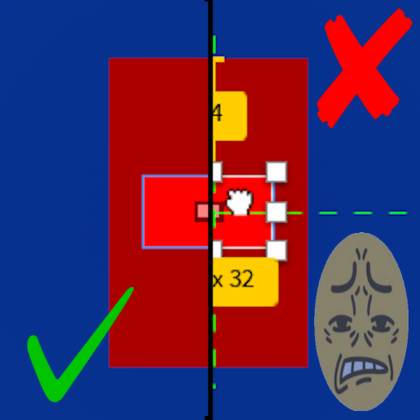
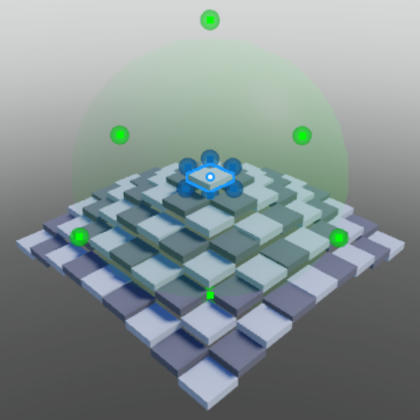
Please leave a review for feedback, such as if it's helped or for any issues and or improvements to add, thank you! (I do update this plugin often to fix bugs based on feedback) Allows you to mirror Parts/Unions/Wedges/etc, along the set axis from a part. Useful for making characters out of blocks and only having to make one arm and leg, then you can just use this plugin to easily create the other side, though it's not just limited to characters, it's just good for general symetrical building. First, select a single part as the Origin point where parts will be mirrored across Second, select part(s)/model(s)/folder(s) then press one of the mirror buttons. [V2.1] changelog. 2/22/26 Fixed the camera breaking when playtesting changed the origin cone into a grid viewport preview of what is being cloned/moved UI repositioning and scaling changes tool tips explain what each button does added model/folder support
| Type | Plugins |
|---|---|
| Creator | ailenkai ✓ |
| Price | Free |
| Rating | 54% positive · 60 votes |
| Contains scripts | Yes |
| Category | Plugins › Building |
| Published | 2025-08-24 |
| Updated | 2026-02-23 |
| Roblox ID | 122137500035931 |
| Last checked | 2026-09-17 |

![Quick GUI Scale w/ Slider [OUTDATED]](https://tr.rbxcdn.com/180DAY-dc2747983f3f347c880791a95e8a8a73/420/420/Image/Png/noFilter)












![Moon Animator 2 [sale!]](https://tr.rbxcdn.com/180DAY-bb0f21c27b952011c4b81408cde773f1/420/420/Image/Png/noFilter)









