QuickCutscene Lite: Cutscene Editor (Free)
Plugin by four1246 ✓ · 0 upvotes
Free
Get on Creator Store →
This is an official Roblox Creator Store asset. The button opens its page on create.roblox.com, where you get it into your inventory or Studio. Roblox Modules does not sell, host or redistribute Roblox assets.
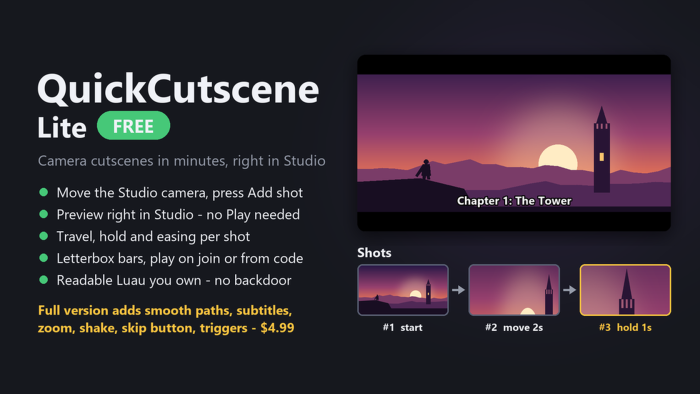
Free camera cutscene editor, right in Studio. No animation skills needed. HOW TO USE 1. Plugins tab > QuickCutscene Lite. Type a name (e.g. Intro) and press + New. 2. Move the Studio camera to your first view and press "Add shot from camera". Repeat for every view. 3. Click a shot, then set Travel, Hold and Easing in Properties > Attributes. 4. Press Preview to watch it in Studio, then press Play. 5. Tick "Play when a player joins", or play it from a LocalScript: require(game.ReplicatedStorage.QuickCutscene).Play("Intro") INCLUDED - Hard cuts or eased moves, letterbox bars - Player controls frozen, camera handed back afterwards - Plain, readable Luau you own - no hidden requires, no backdoor FULL VERSION ($4.99) adds smooth curved paths, subtitles, FOV zoom, camera shake, a skip button and touch triggers. Your cutscenes keep working when you upgrade. Search "QuickCutscene" in the Creator Store.
| Type | Plugins |
|---|---|
| Creator | four1246 ✓ |
| Price | Free |
| Rating | 0 upvotes |
| Contains scripts | Yes |
| Published | 2026-09-27 |
| Updated | 2026-09-27 |
| Roblox ID | 137134606397044 |
| Last checked | 2026-09-28 |


![Moon Animator 2 [sale!]](https://tr.rbxcdn.com/180DAY-bb0f21c27b952011c4b81408cde773f1/420/420/Image/Png/noFilter)


















