QuickData: DataStore Editor + Version Restore
Plugin by four1246 ✓ · 0 upvotes
$4.99
Get on Creator Store →
This is an official Roblox Creator Store asset. The button opens its page on create.roblox.com, where you get it into your inventory or Studio. Roblox Modules does not sell, host or redistribute Roblox assets.
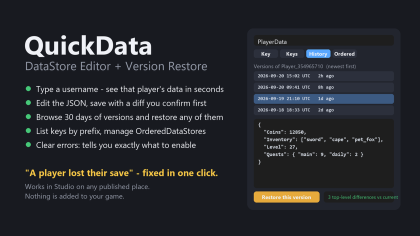
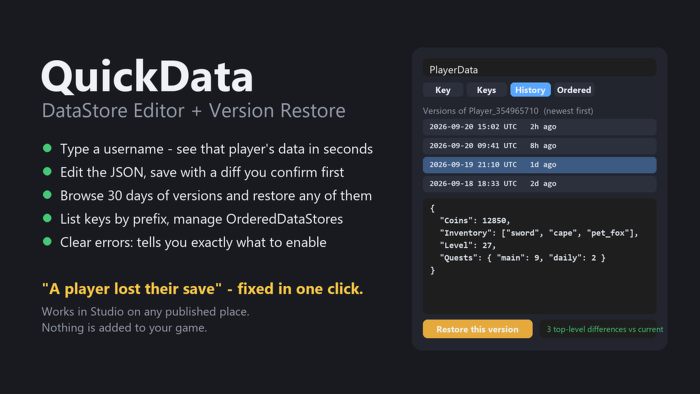
Open any DataStore of your experience inside Studio, find a player's key by username, edit the JSON, and restore an older value when something went wrong. A support tool for live games - nothing is inserted into your place. KEY - type a key, or a username / user id + a template like Player_{userId}. Pretty JSON editor, key info (version, updated, size, userIds). Save shows exactly which fields change before it writes. HISTORY - Roblox keeps only ONE version per key per UTC hour, so QuickData also writes its own backup before every Save, Delete and Restore (DataStore QuickData_Backups). Browse Roblox versions AND QuickData backups, preview, Restore in one click. Restores are reversible. KEYS - list keys by prefix. ORDERED - top/bottom 50 of an OrderedDataStore, set or remove entries. STORES - recent stores + every DataStore in the experience. Errors are explained in plain words. The UI never freezes. Requires a published place with Studio Access to API Services enabled.
| Type | Plugins |
|---|---|
| Creator | four1246 ✓ |
| Price | $4.99 |
| Rating | 0 upvotes |
| Contains scripts | Yes |
| Category | Plugins › Scripting |
| Object types | Icon, Graphic |
| Published | 2026-09-20 |
| Updated | 2026-09-20 |
| Roblox ID | 88160993113377 |
| Last checked | 2026-09-28 |















![Moon Animator 2 [sale!]](https://tr.rbxcdn.com/180DAY-bb0f21c27b952011c4b81408cde773f1/420/420/Image/Png/noFilter)







